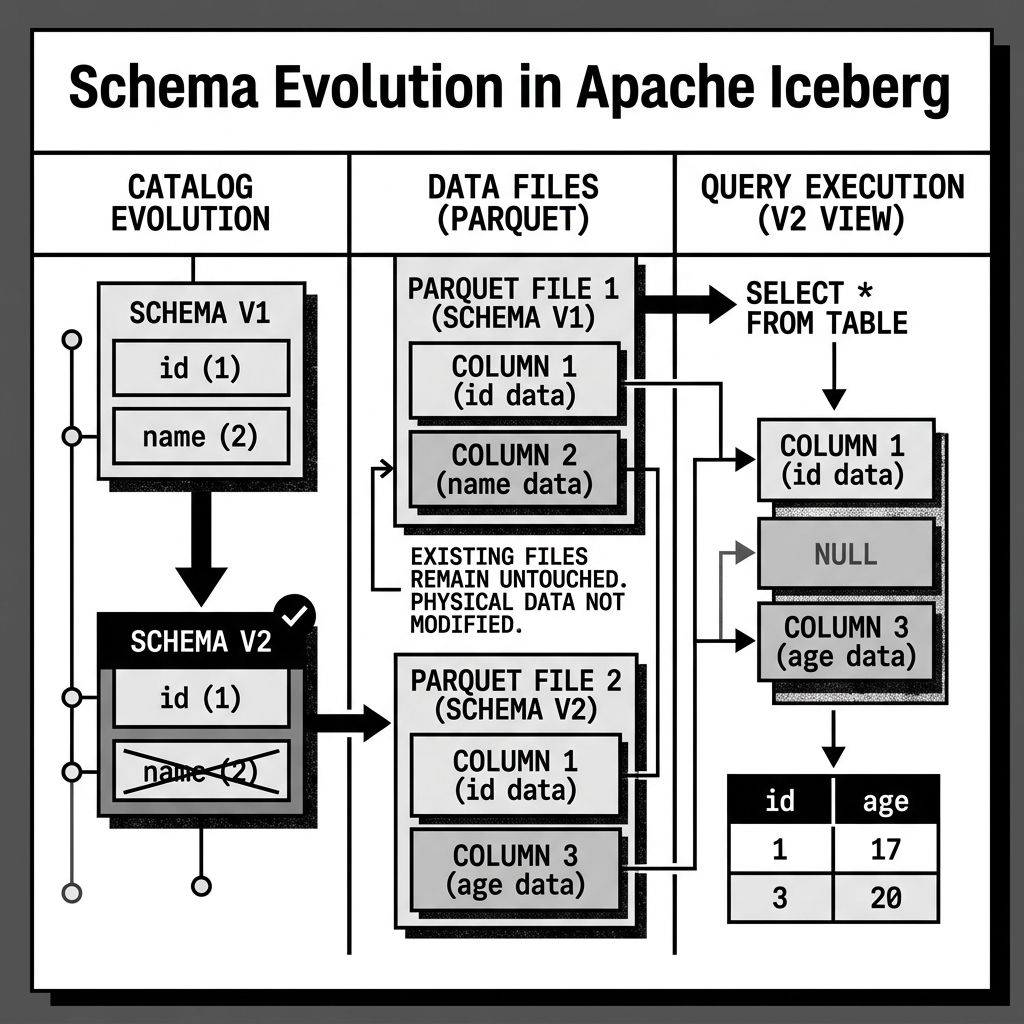
Schema Spec
Business requirements change constantly. A data engineering team might need to add a shipping_address column to a table, rename the total_cost column to gross_revenue, or delete an obsolete fax_number column entirely.
In legacy data lakes (like Apache Hive), changing a table’s schema was often a catastrophic event. Hive tracked columns by their physical position or by their string name. If you dropped a column in the middle of a table, all the subsequent columns would shift, corrupting historical queries. To safely evolve a schema, engineers were forced to rewrite the entire multi-terabyte dataset.
Apache Iceberg solves this problem permanently with its Schema Spec, introducing the concept of safe, instantaneous Schema Evolution.
Column ID Tracking
The magic behind Iceberg’s Schema Spec is extremely simple but incredibly powerful: Iceberg tracks columns by a unique, immutable integer ID, not by their name or position.
When you create a table, Iceberg assigns ID 1 to the first column, ID 2 to the second, and so on. This mapping of ID -> Name -> Data Type is stored in the table’s JSON metadata file as the Schema Spec.
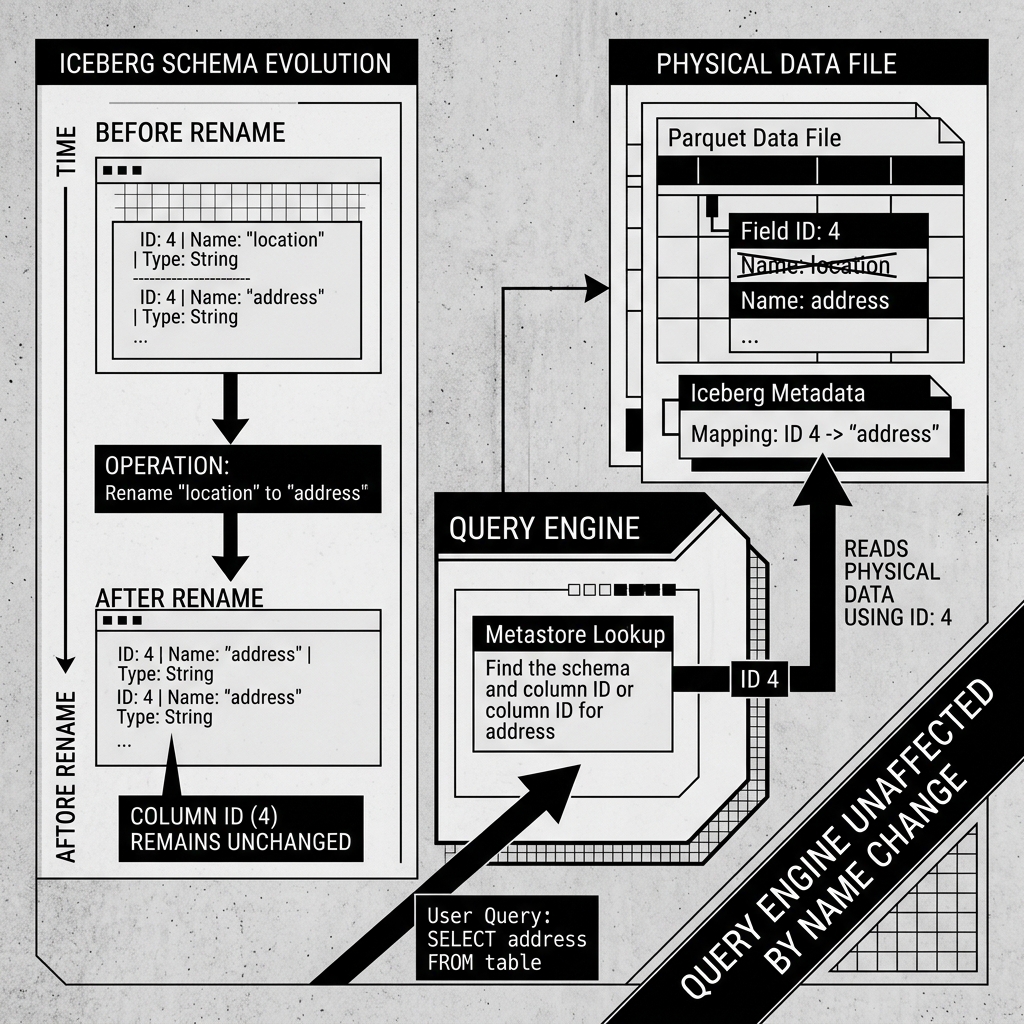
If you execute an ALTER TABLE RENAME COLUMN location TO address command, Iceberg does not touch any of the physical Parquet data files. It simply creates a new JSON metadata file with a new Schema Spec. In the new spec, the string name is updated to “address”, but the ID remains exactly the same (e.g., ID 4).
When a query engine reads the old Parquet files, it looks for the data associated with ID 4, completely ignoring the fact that the old Parquet file’s internal metadata might still label it as “location”. The mapping is entirely decoupled.
Diagram 1: Column ID Tracking
Safe Evolution Operations
Because of this ID-based architecture, Iceberg supports a wide variety of instantaneous schema evolution operations:
- Add: Adding a new column simply assigns a brand new, never-before-used ID (e.g.,
ID 15). Old data files do not haveID 15, so when queried, Iceberg automatically returnsNULLfor those historical rows. - Drop: Dropping a column simply removes its ID from the active Schema Spec. The data remains in the old Parquet files on disk, but the query engine will never read it because the ID is no longer in the active mapping.
- Rename: Updates the string name mapped to the ID.
- Update/Widen: You can safely widen a data type (e.g., changing an
INTto aBIGINT). - Reorder: You can change the logical order of columns without affecting the physical data.
Crucially, Column IDs are never reused. If you drop the fax_number column (ID 5) and later add a new phone_number column, the new column will be assigned ID 6, not 5. This prevents a “zombie data” scenario where a query for the new phone number accidentally returns old fax numbers from historical data files.
Diagram 2: Schema Evolution