Sequence Number
In a highly concurrent data lakehouse, determining the exact order in which events occurred is critical. If Job A deletes a row, and Job B updates that same row, the final state of the table depends entirely on which job committed first.
Because system clocks on distributed servers can drift and timestamps are inherently unreliable across massive clusters, Apache Iceberg relies on a strict, monotonic integer called a Sequence Number.
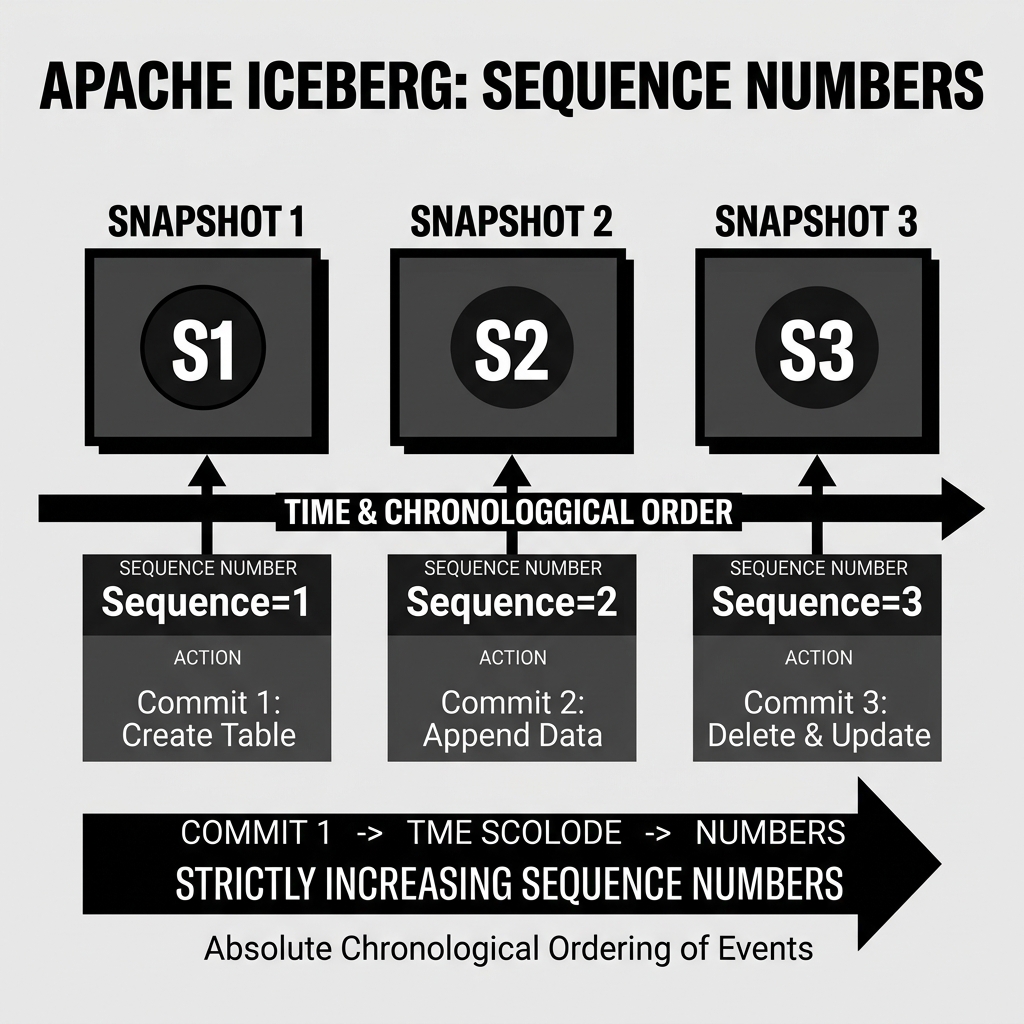
Every time a Snapshot is successfully committed to an Iceberg table, the table’s global Sequence Number increments. Snapshot 1 is assigned Sequence 1. Snapshot 2 is assigned Sequence 2, and so on. This creates an absolute, unbreakable chronological order of events.
Inheriting the Sequence
The power of the Sequence Number is that it cascades down to the files themselves.
When Snapshot 3 (Sequence 3) is committed, any brand new Data Files or Delete Files created during that transaction are permanently tagged with Sequence 3 in the table’s Manifest Files.
This tagging means that every single physical Parquet file and Delete file in the entire lakehouse has a strict chronological ID attached to it. The query engine knows exactly when every file was born relative to every other file.
Diagram 1: Sequence Number Timeline
Resolving Row-Level Conflicts
Sequence Numbers are the linchpin that makes Merge-on-Read (MoR) row-level updates and deletes possible in Apache Iceberg.
Imagine an Iceberg table with millions of rows.
- At
Sequence 4, an analyst runs a query that logically deletesuser_id = 500. Iceberg writes a Delete File containing the ID 500. This Delete File is tagged asSequence 4. - At
Sequence 5, a massive ETL pipeline appends new data. By pure coincidence, the pipeline inserts a brand new user who was also assigneduser_id = 500. This new Data File is tagged asSequence 5. - At
Sequence 6, another analyst runs a query that deletesuser_id = 500. Another Delete File is written and tagged asSequence 6.
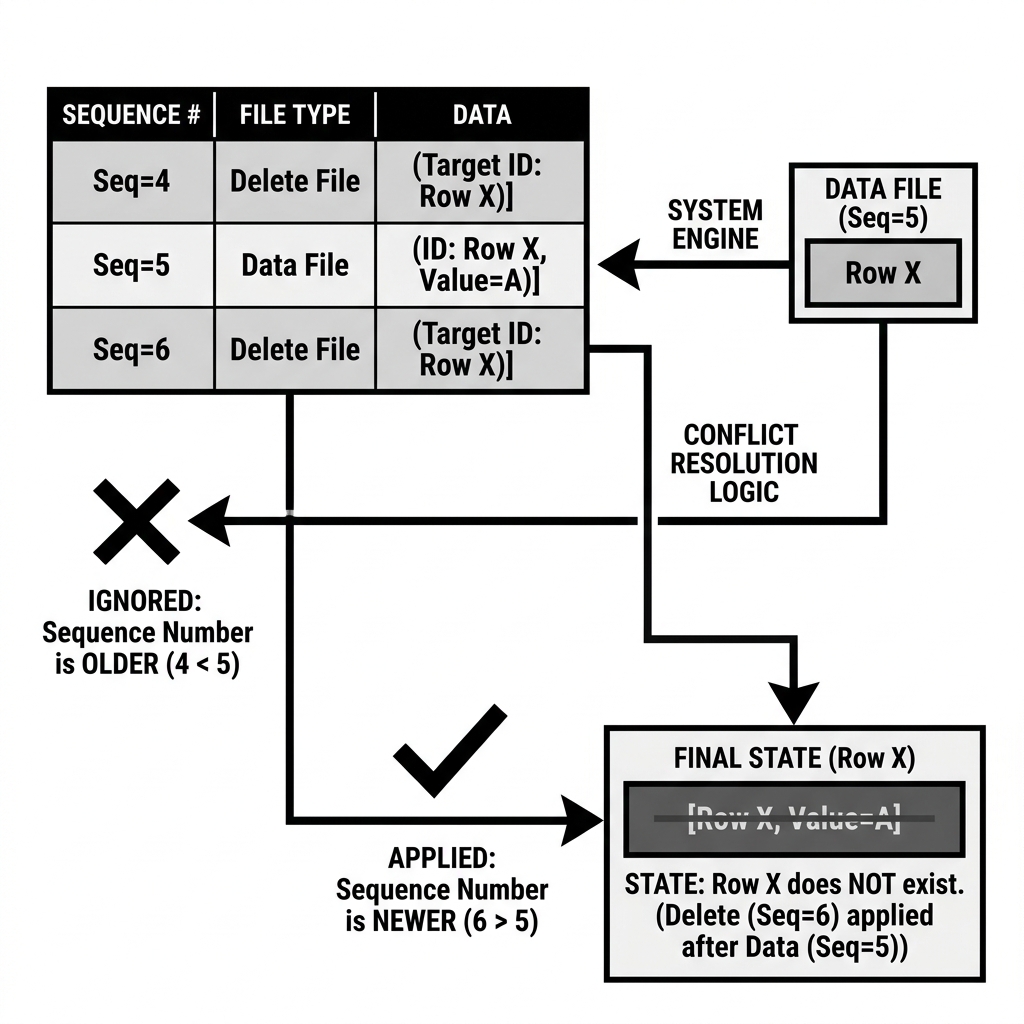
When a query engine goes to read this table, it sees three conflicting pieces of information about user_id = 500: A Delete File, a Data File, and another Delete File.
Because of Sequence Numbers, the engine resolves this conflict flawlessly:
- The engine reads the Data File (born at
Sequence 5). - It evaluates the first Delete File (
Sequence 4). Because 4 is strictly less than 5, the engine knows the delete occurred before the data was even written. The engine ignores theSequence 4Delete File. - It evaluates the second Delete File (
Sequence 6). Because 6 is strictly greater than 5, the engine knows the delete occurred after the data was written. The engine applies theSequence 6Delete File, filtering the row out of the final result set.
Diagram 2: Conflict Resolution via Sequence Numbers