Snapshot
In a traditional relational database, if you execute an UPDATE statement to change a user’s address, the database physically overwrites the old address on the disk with the new one. The old data is gone forever, unless you restore the entire database from last night’s backup tape.
Modern data lakehouse table formats like Apache Iceberg operate on a completely different principle. They are designed around immutability. When you change data in an Iceberg table, it does not overwrite the existing data files. Instead, it creates new data files and generates a new Snapshot.
A Snapshot is exactly what it sounds like: a complete, frozen-in-time picture of the entire table at the exact millisecond a transaction was committed. It is a logical representation of the table’s state, defined by a unique ID and a timestamp, sitting inside the table’s metadata file.
How Snapshots Work
Every time a write operation (an INSERT, UPDATE, DELETE, or MERGE) successfully commits to an Iceberg table, a new Snapshot is created.
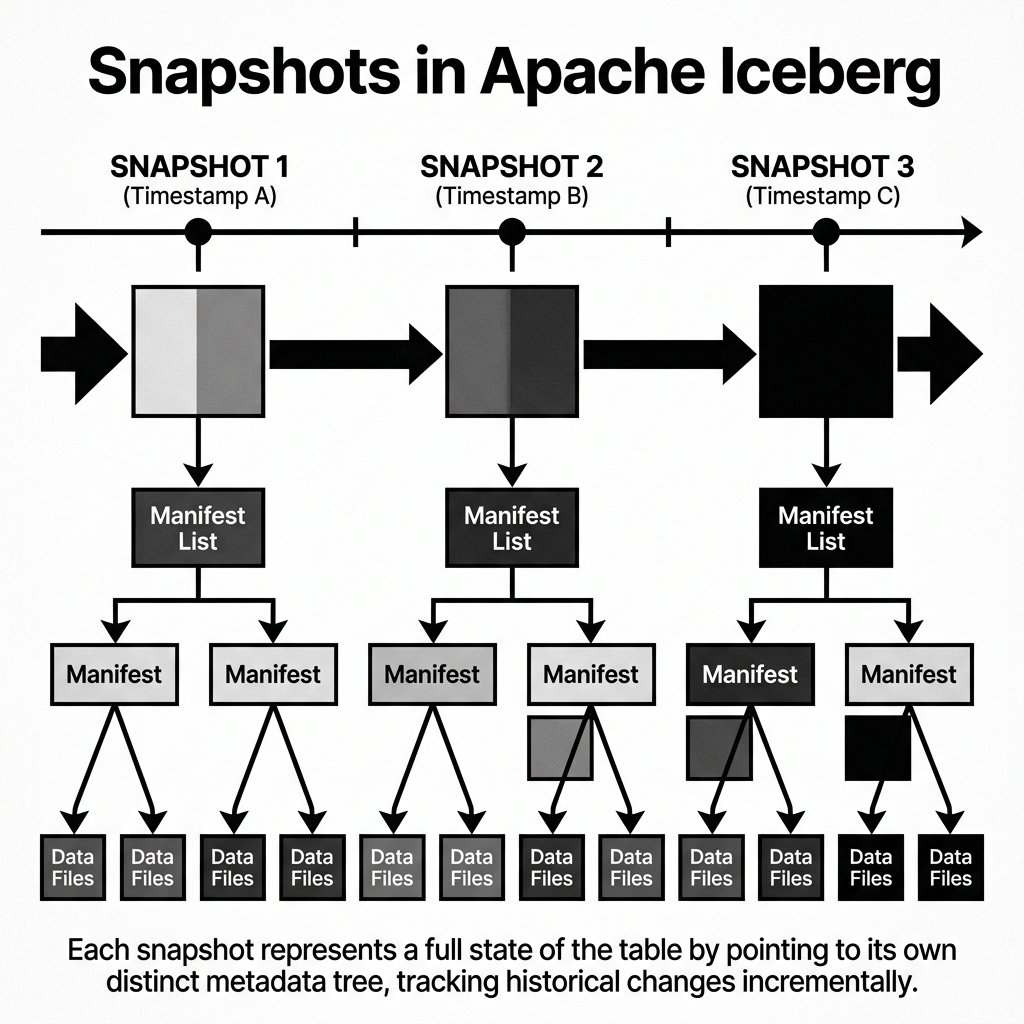
This new Snapshot points to a new Manifest List. That Manifest List points to a combination of old Manifest Files (containing data that hasn’t changed) and new Manifest Files (containing the pointers to the newly appended or modified Parquet files).
Crucially, the previous Snapshot is not deleted. It remains in the metadata file, still pointing to its own Manifest List, which still points to the old data files exactly as they were. Because the underlying files are immutable, both Snapshots can exist simultaneously, referencing overlapping but distinct sets of physical data.
Diagram 1: Snapshot Architecture Over Time
The Power of Time Travel
Because Iceberg retains this history of Snapshots, it unlocks a feature known as Time Travel.
If a data engineer accidentally runs a bad pipeline job that corrupts a table at 2:00 PM, they do not need to panic or request a restore from the IT department. They can simply query the table exactly as it existed at 1:59 PM.
Most query engines support Time Travel syntax. An analyst using Spark SQL can write:
SELECT * FROM users TIMESTAMP AS OF '2026-05-18 13:59:00';Or, if they know the specific ID of the healthy snapshot:
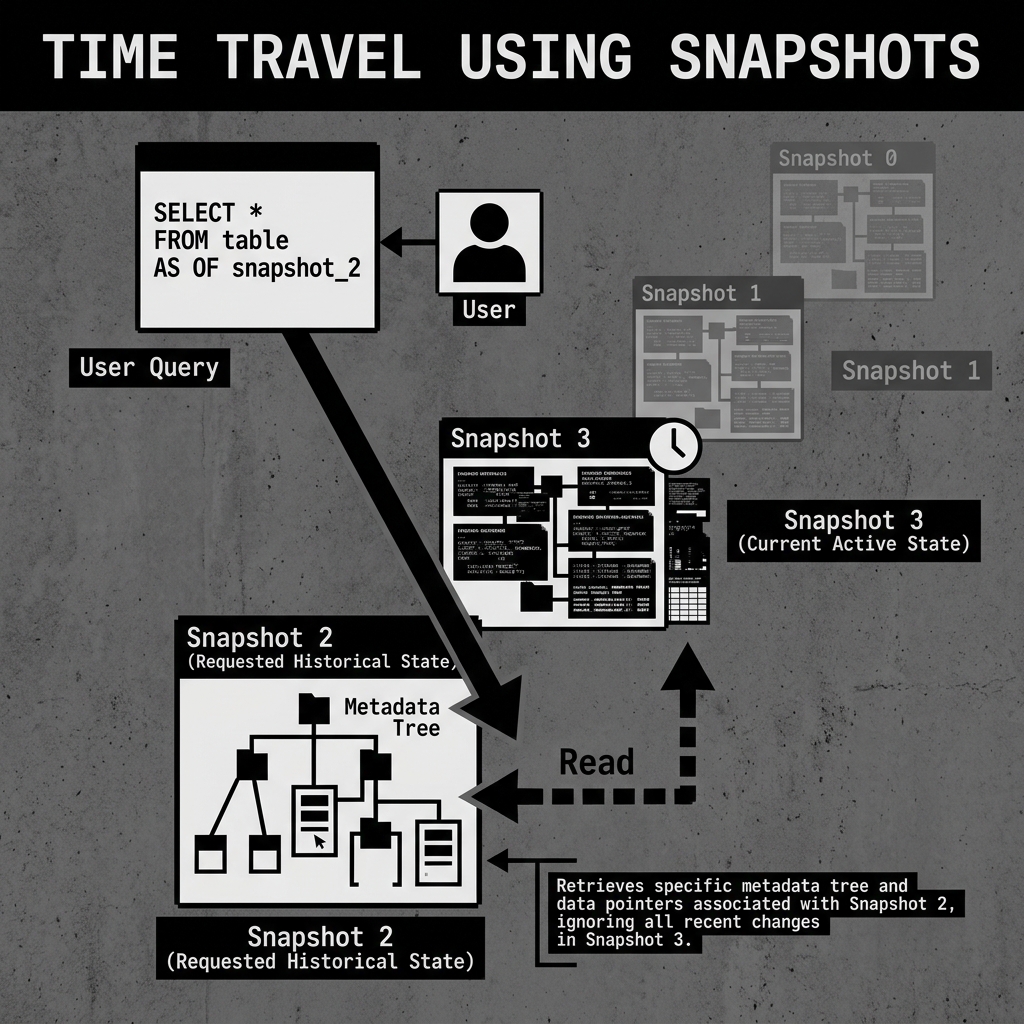
SELECT * FROM users VERSION AS OF 10987654321;When this query runs, the engine asks the catalog for the table, but instead of reading the current active Snapshot, the engine navigates down the metadata tree starting from the requested historical Snapshot. It reads the specific data files that were active at that exact moment, completely ignoring the corrupted files added at 2:00 PM.
Diagram 2: Time Travel Execution
Snapshot Management and Expiration
While retaining a history of Snapshots is incredibly powerful, it comes with a cost. Every Snapshot keeps its associated underlying data files “alive.” If you delete a terabyte of old data, but keep the Snapshot from before the deletion, that terabyte of data remains in your Amazon S3 bucket, costing you money.
Therefore, Snapshots must be managed. Data lakehouses utilize a maintenance process called Expire Snapshots.
Administrators typically configure a retention policy, such as “keep all snapshots from the last 7 days.” A background job periodically runs the expire_snapshots procedure. This job removes any Snapshots older than 7 days from the metadata file. Once a Snapshot is expired, the system identifies any physical Parquet data files that are no longer referenced by any remaining active Snapshot and permanently deletes them from object storage, freeing up space and saving money.