Table UUID
Table UUID
When a user interacts with a database, they use human-readable names. They write SELECT * FROM sales_data.
In legacy systems like Apache Hive, the table name (sales_data) was the ultimate source of truth. If a table was named sales_data, the query engine simply looked for a folder on disk named /sales_data/ and read whatever files were inside it. This heavy reliance on string names created a massive, often invisible vulnerability known as the “Drop and Recreate” problem.
Apache Iceberg eliminates this vulnerability by introducing the Table UUID (Universally Unique Identifier).
The Permanent Anchor
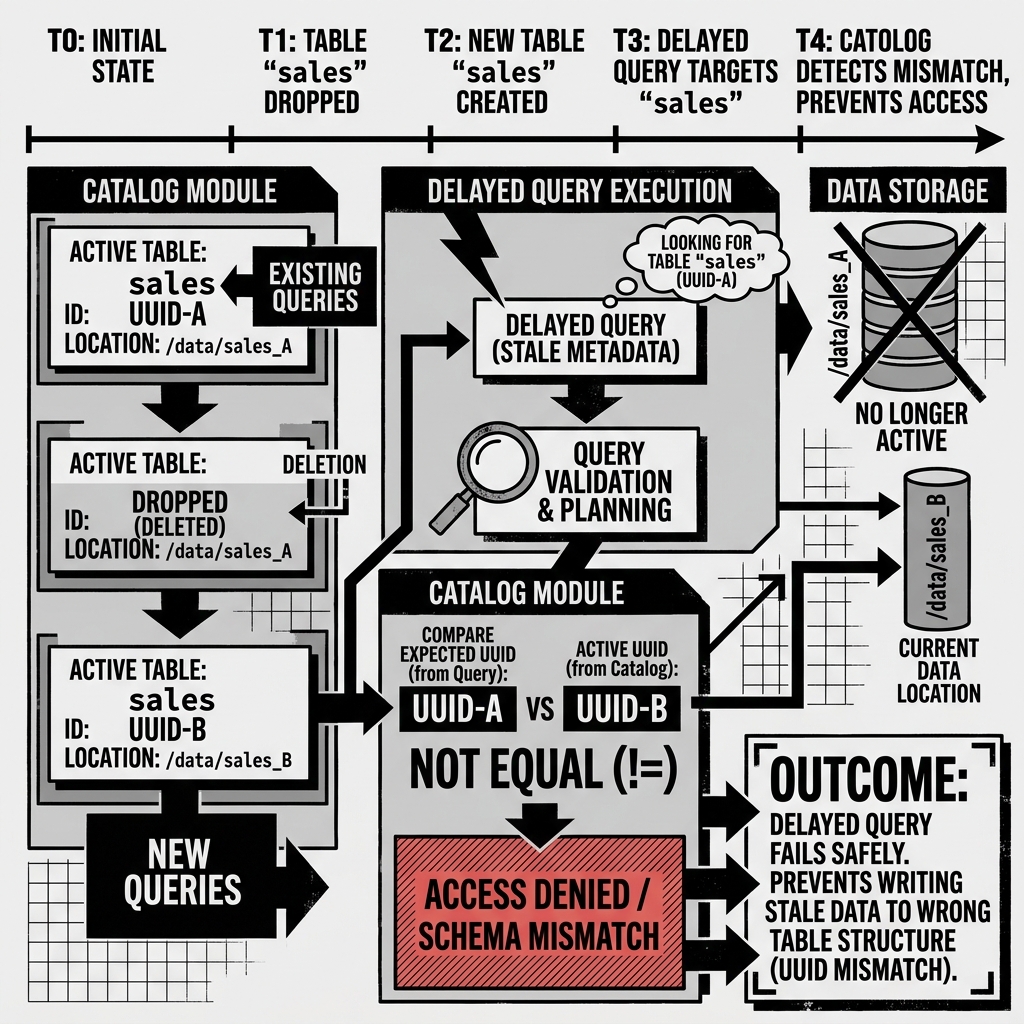
In Iceberg, the human-readable table name is just a convenient alias stored in the Catalog. The true, permanent identity of the table is a globally unique 36-character string (e.g., 550e8400-e29b-41d4-a716-446655440000) generated at the exact millisecond the table is created.
This UUID is stored permanently in the table’s JSON metadata file. No matter how many times you rename the table, the UUID never changes. It acts as the immutable anchor tying the physical data to the logical table definition.
Diagram 1: The Table UUID Concept
Solving the Drop and Recreate Problem
Imagine a scenario in a busy data lakehouse:
- A long-running Spark job begins processing data, intending to write it to the
sales_datatable. - While the Spark job is running, a data engineer decides the
sales_datatable is corrupted. They executeDROP TABLE sales_data. - The engineer immediately executes
CREATE TABLE sales_datato start fresh with a clean schema.
In a legacy Hive system, the long-running Spark job would eventually finish and write its data to the /sales_data/ directory. Because the new table has the exact same name and directory path as the old one, the Spark job silently corrupts the new table by injecting data formatted for the old schema.
In Apache Iceberg, this silent corruption is impossible.
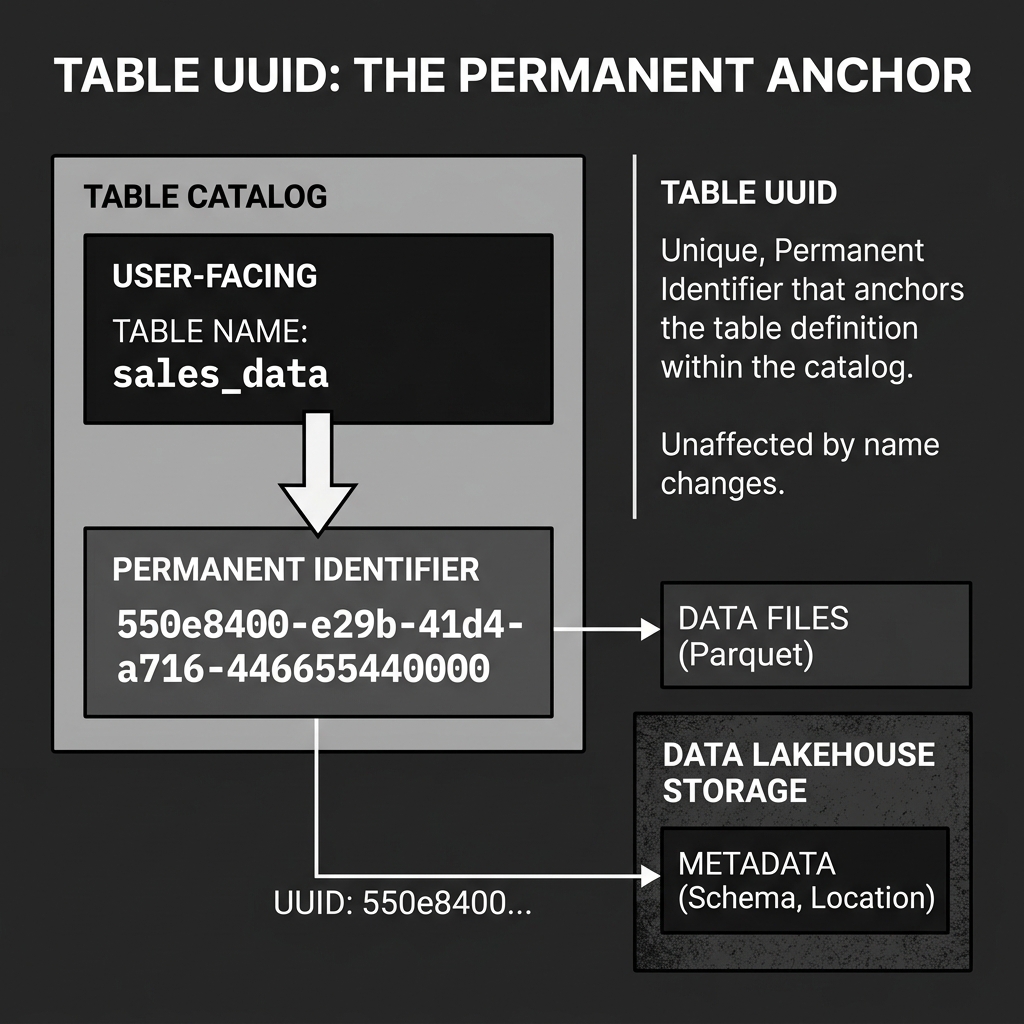
When the Spark job started, it locked onto the UUID of the original table (let’s call it UUID-A). When the engineer dropped and recreated the table, the new table was assigned UUID-B.
When the Spark job finally finishes processing and attempts to commit its data to the catalog, it says: “I am committing data for sales_data (UUID-A).” The Catalog looks at the current active table and says, “I have a sales_data table, but its ID is UUID-B. Your UUID does not match.”
The Catalog rejects the commit, the Spark job fails safely, and the new table remains perfectly clean.
Diagram 2: Drop and Recreate Safety